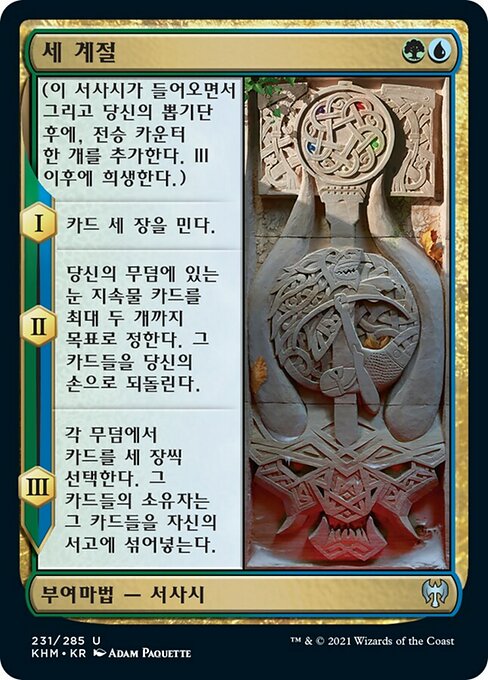
세 계절 

The Three Seasons
부여마법 — 서사시
Printed (KO)
부여마법 — 서사시
(이 서사시가 들어오면서 그리고 당신의 뽑기단 후에, 전승 카운터 한 개를 추가한다. III 이후에 희생한다.) I — 카드 세 장을 민다. II — 당신의 무덤에 있는 눈 지속물 카드를 최대 두 개까지 목표로 정한다. 그 카드들을 당신의 손으로 되돌린다. III — 각 무덤에서 카드를 세 장씩 선택한다. 그 카드들의 소유자는 그 카드들을 자신의 서고에 섞어넣는다.
Oracle text (EN)
Enchantment — Saga
(As this Saga enters and after your draw step, add a lore counter. Sacrifice after III.) I — Mill three cards. II — Return up to two target snow permanent cards from your graveyard to your hand. III — Choose three cards in each graveyard. Their owners shuffle those cards into their libraries.
Printing details
- Set
- KHM · 231
- Rarity
- Uncommon
- Language
- KO
- Artist
- Adam Paquette
- Released
- 2021-02-05
- Prices
- – · –
Price history
The trend shows with at least 7 days of history.
- Cardmarket, trend
The history starts on October 28, 2026 and grows every day.
Show the data
| Date | Cardmarket, trend |
|---|---|
| November 2, 2026 | €0.12 |
| October 28, 2026 | €0.11 |
Prices
| Source | Non-foil | Foil |
|---|---|---|
| Cardmarket | low – trend €0.12 30-day avg €0.11 | low – trend €0.23 30-day avg €0.19 |
| CardTrader (KO) | No offers | |
| CardTrader (any language) | NM from €0.11 | NM from €0.20 |
Cardmarket updated Nov 2, 2026 · CardTrader updated Nov 2, 2026
Buy and look up
Legality
- standard Not legal
- pioneer Legal
- modern Legal
- legacy Legal
- vintage Legal
- commander Legal
- pauper Not legal
- alchemy Not legal
- brawl Legal
- competitivebrawl Legal
- duel Legal
- future Not legal
- gladiator Legal
- historic Legal
- oathbreaker Legal
- oldschool Not legal
- paupercommander Not legal
- penny Not legal
- predh Not legal
- premodern Not legal
- standardbrawl Not legal
- timeless Legal
- tlr Legal
Rulings
-
Each symbol on the left of a Saga’s text box represents a chapter ability. A chapter ability is a triggered ability that triggers when a lore counter that is put on the Saga causes the number of lore counters on the Saga to become equal to or greater than the ability’s chapter number. Chapter abilities are put onto the stack and may be responded to.
-
If multiple chapter abilities trigger at the same time, their controller puts them on the stack in any order. If any of them require targets, those targets are chosen as you put the abilities on the stack, before any of those abilities resolve.
-
For the chapter III ability, if a player has no cards in their graveyard, they don’t shuffle their library.
-
A chapter ability doesn’t trigger if a lore counter is put on a Saga that already had a number of lore counters greater than or equal to that chapter’s number. For example, the third lore counter put on a Saga causes the chapter III ability to trigger, but chapters I and II won’t trigger again.
-
Once a chapter ability has triggered, the ability on the stack won’t be affected if the Saga gains or loses counters, or if it leaves the battlefield.
-
Removing lore counters won’t cause a previous chapter ability to trigger. If lore counters are removed from a Saga, the appropriate chapter abilities will trigger again when the Saga receives more lore counters.
-
Once the number of lore counters on a Saga is greater than or equal to the greatest number among its chapter abilities, the Saga’s controller sacrifices it as soon as its chapter ability has left the stack, most likely by resolving or being countered. This state-based action doesn’t use the stack.
-
As a Saga enters the battlefield, its controller puts a lore counter on it. As your precombat main phase begins (immediately after your draw step), you put another lore counter on each Saga you control. Putting a lore counter on a Saga in either of these ways doesn’t use the stack.