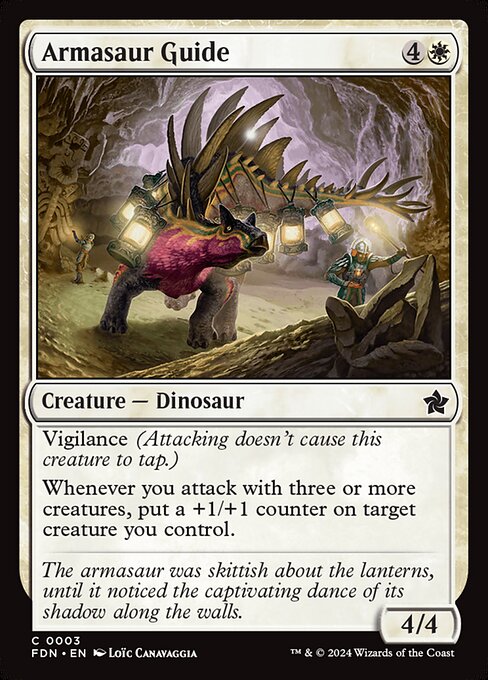
Armasaur Guide 

Creature — Dinosaur4/4
Oracle text (EN)
Creature — Dinosaur
Vigilance (Attacking doesn't cause this creature to tap.) Whenever you attack with three or more creatures, put a +1/+1 counter on target creature you control.
Printing details
- Set
- FDN · 3
- Rarity
- Common
- Language
- EN
- Artist
- Loïc Canavaggia
- Released
- 2024-11-15
- Prices
- €0.08 · $0.11
Prices
| Source | Non-foil | Foil |
|---|---|---|
| Cardmarket | low €0.02 trend €0.08 30-day avg €0.05 | low €0.02 trend €0.04 30-day avg €0.08 |
| CardTrader (EN) | NM from €0.11 with Zero from €0.11 | NM from €0.11 with Zero from €0.11 |
| CardTrader (any language) | NM from €0.11 | NM from €0.11 |
Cardmarket updated Oct 29, 2026 · CardTrader updated Oct 29, 2026
Buy and look up
Legality
- standard Legal
- pioneer Legal
- modern Legal
- legacy Legal
- vintage Legal
- commander Legal
- pauper Legal
- alchemy Legal
- brawl Legal
- competitivebrawl Legal
- duel Legal
- future Legal
- gladiator Legal
- historic Legal
- oathbreaker Legal
- oldschool Not legal
- paupercommander Legal
- penny Legal
- predh Not legal
- premodern Not legal
- standardbrawl Legal
- timeless Legal
- tlr Not legal
Rulings
-
It doesn't matter what happens to the creatures you attacked with once Armasaur Guide's last ability has triggered. When that ability resolves, you'll put a +1/+1 counter on the target creature regardless of whether the creatures you attacked with (or Armasaur Guide) are still on the battlefield.